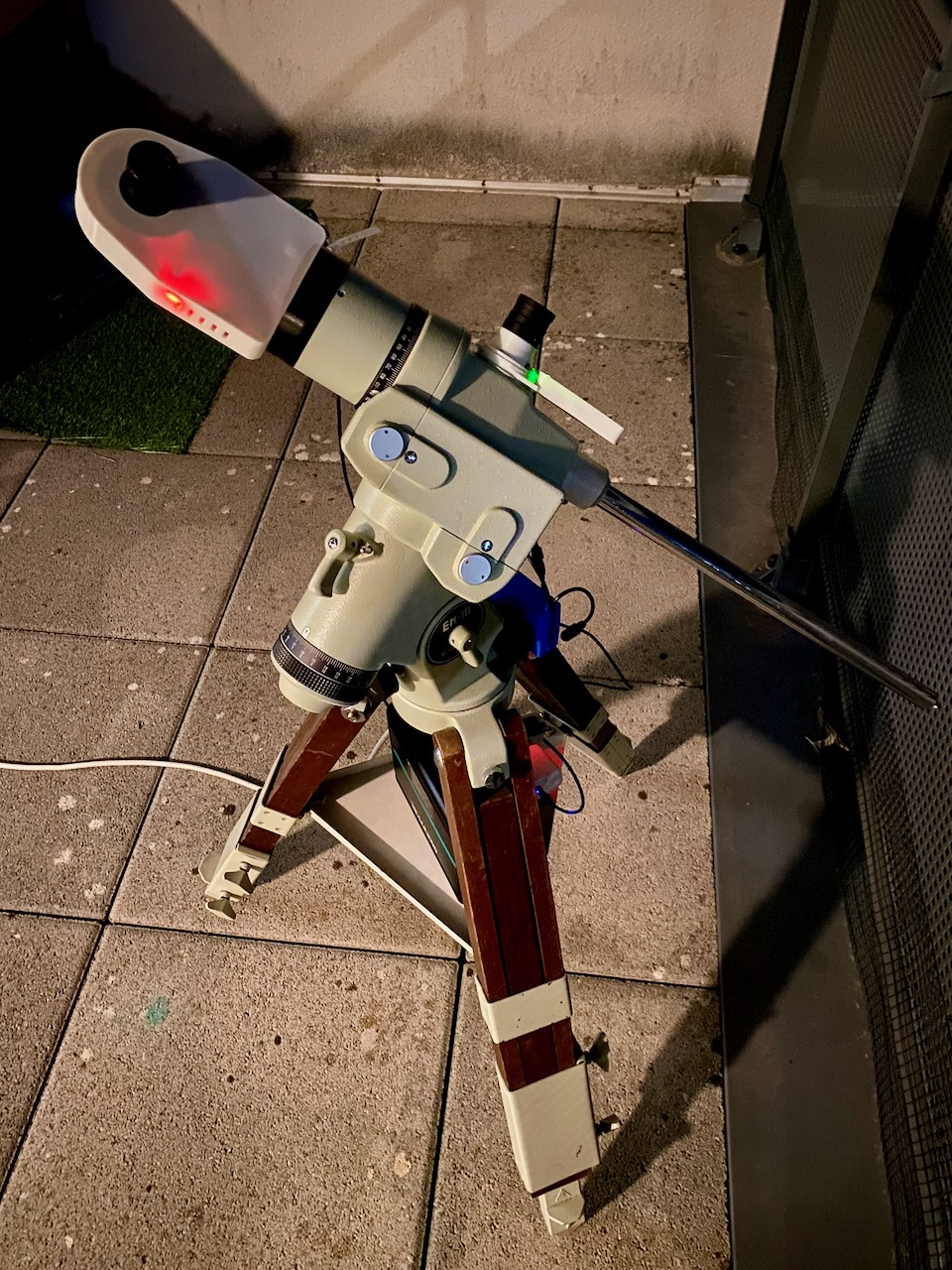
A photograph of the sky can show plenty of stars without telling us which ones they are. Is the object I am looking for in the image? Which way is north? I have added a feature to my PiNox camera that answers these questions. Its small computer identifies the patch of sky in the photograph: the camera’s field of view.
Recognising the pattern of stars
Three stars form a triangle. Even if we turn the photograph, we can still recognise its shape. PiNox’s first solver, developed for the fixed 25 mm lens, uses this idea with several stars: it compares their arrangement with a list of stars whose positions are known, the star catalogue.
It looks for a matching pattern, then checks that other stars fall where they should. Once enough stars match, it knows where the camera is pointing. This is called plate solving.
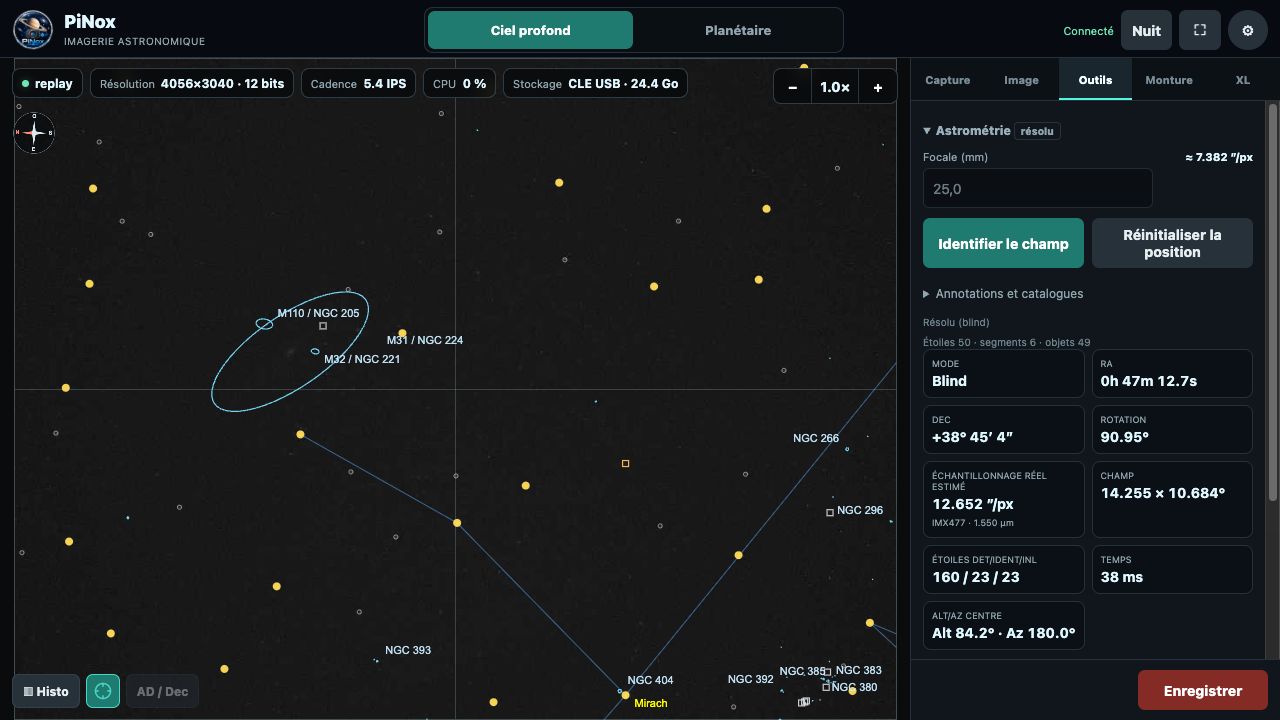
PiNox can then locate the centre of the image in the sky, find north and work out how much sky fits in the photograph.
Where should the search begin?
When PiNox does not know where the camera is pointing, it searches the sky region by region. This is a blind search. It still has a rough idea of how large a field to look for. If the GPS position and time are known, it can also leave out the part of the sky hidden below the horizon.
PolarScope can provide a first clue from the rotation of the mount.
We use two coordinates to describe a direction in the sky. Right ascension selects a line joining the two celestial poles. Declination tells us where to look along that line. In the north, these lines meet at the celestial pole, the point around which the stars appear to turn during the night. It lies very close to Polaris, the North Star.
PolarScope estimates the first coordinate. PiNox can therefore start in a narrower band, shown in green below.
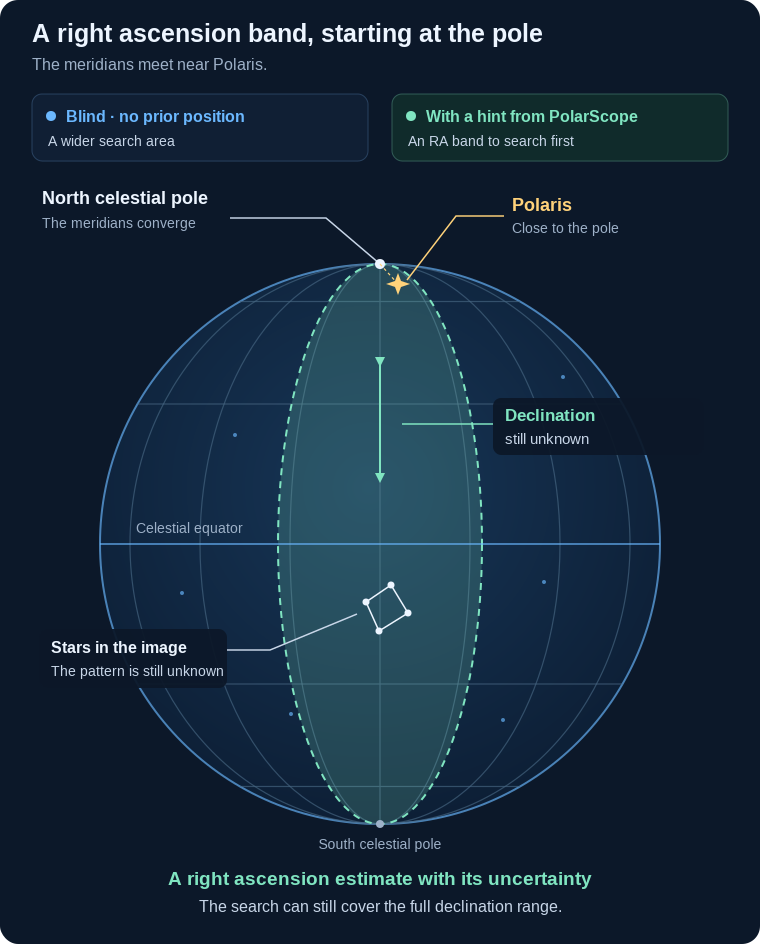
PolarScope’s hint may be imprecise. If it is too old or unusable, PiNox ignores it. If nothing is found in the suggested band, PiNox widens the search. The stars must always confirm the result.
After solving the first image, PiNox can search near the last known position for subsequent images. This is a regional search.
Exploring the image and framing a target
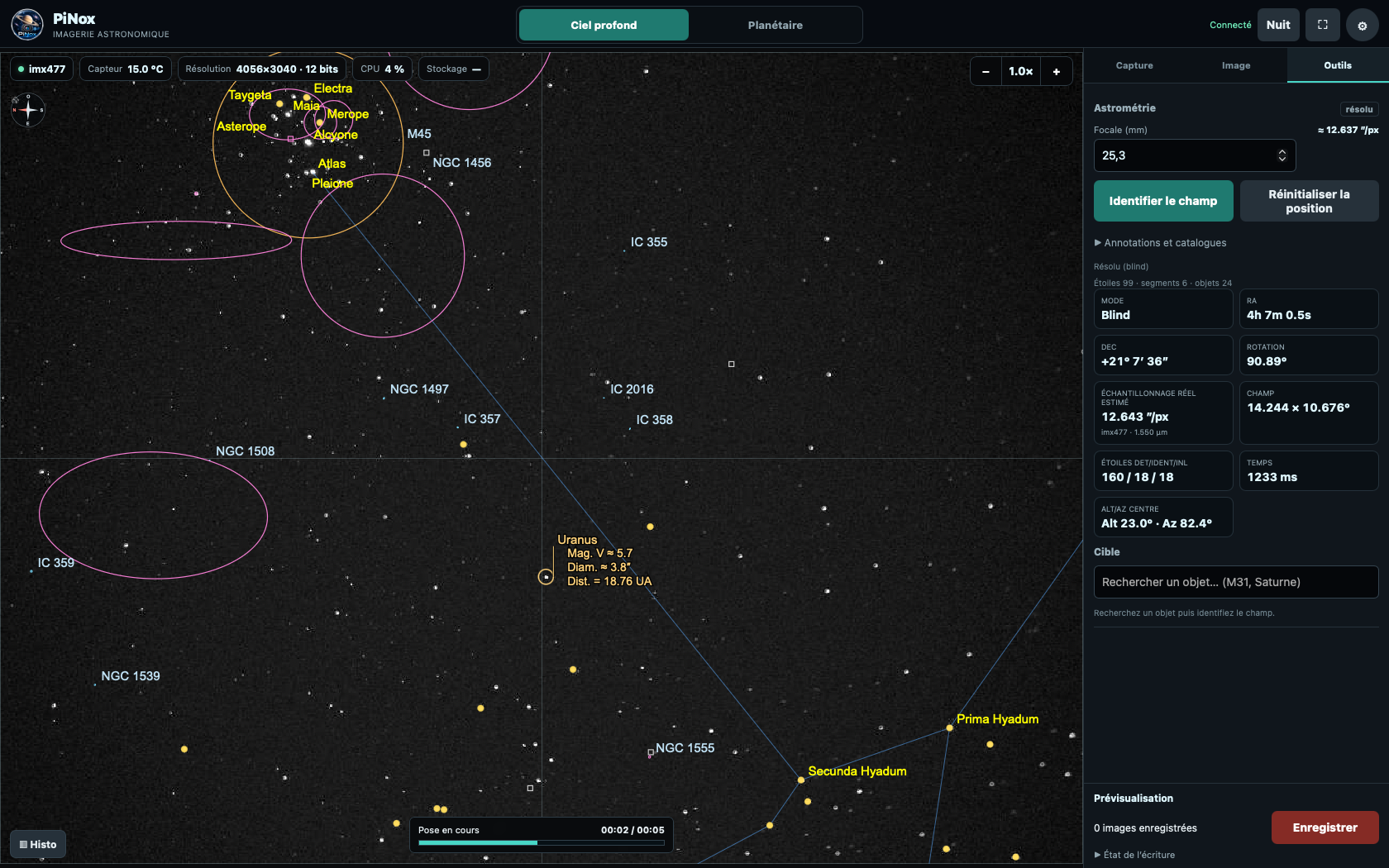
Once the field has been identified, PiNox can label the stars and known objects in it. The Pleiades, the group of stars also known as M45, become easier to explore.
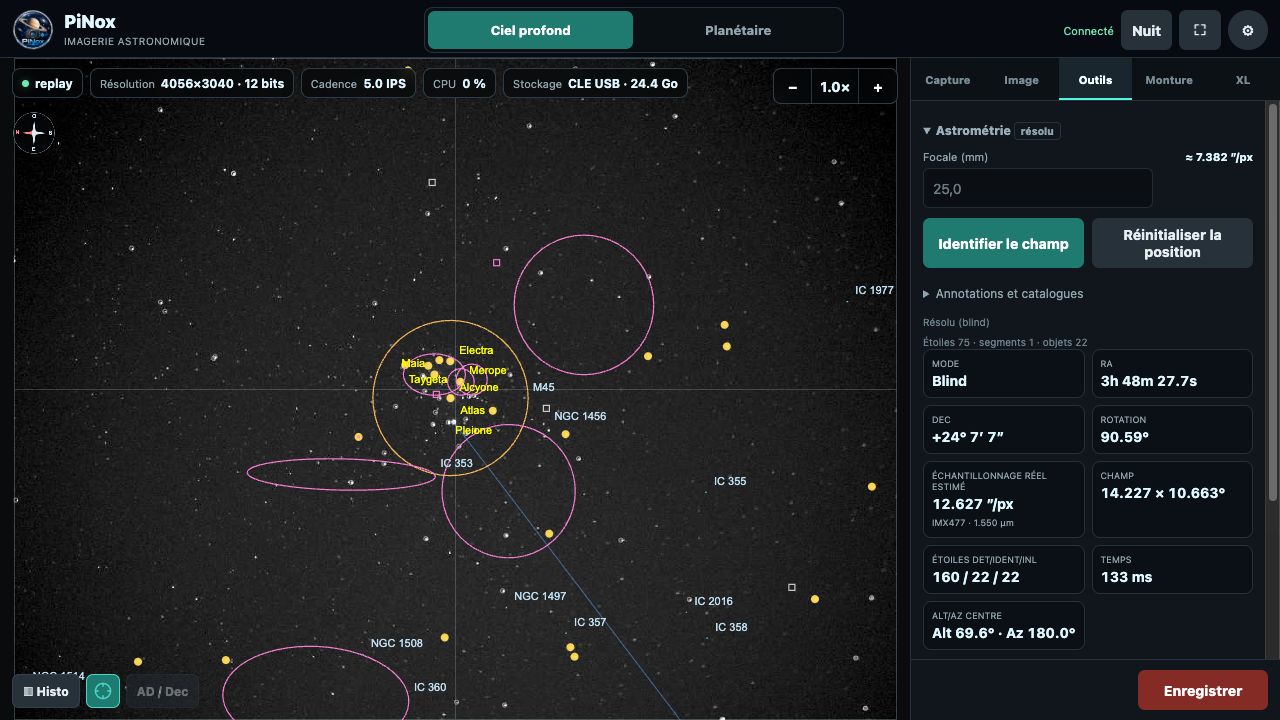
I can search for an object and select it as a target. PiNox shows where it is, or which way to move the field of view if it lies outside the image. Selecting a target does not move the mount.
The icing on the cake: finding Uranus without looking for it
The Pleiades are there, at the top of the image. But another name appears further down: Uranus.
Planets are wanderers: they move against the background stars. They are not in the star catalogue used to identify the field. Their positions have to be calculated for the date and time of the observation. That is what ephemerides provide.
This is where Ephemeris comes back into the picture. I wrote this code a long time ago; I connected it to PiNox, and it worked first time. It calculates where the planets are, then PiNox labels them in the image.
How long does it take to identify an image?
On a Raspberry Pi 4, the calculation drops from 762 to 257 ms for M31 with PolarScope’s help. For M45, it drops from 813 to 259 ms. In these two cases, it is about three times as fast: a little over a quarter of a second with PolarScope assistance.
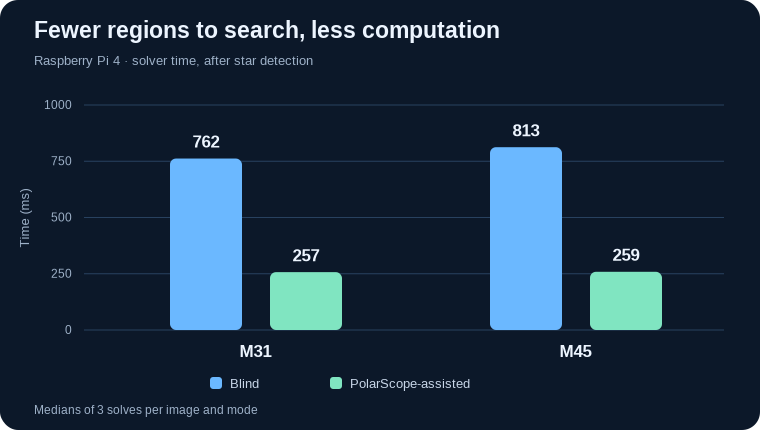
PiNox saves time because it has less sky to search. Both ways of searching find the same field.
An image that is too blurred, has too few stars, or has a poorly estimated field size may prevent PiNox from finding its position. These two examples give an idea of its speed; other images may take longer.
Next step: a solver for different focal lengths
A new lens with a focal length ranging from 5 to 50 mm, at f/2.8, should replace the fixed 25 mm lens. At 5 mm, it photographs a large patch of sky; at 50 mm, it frames a smaller area, with objects appearing larger in the image.
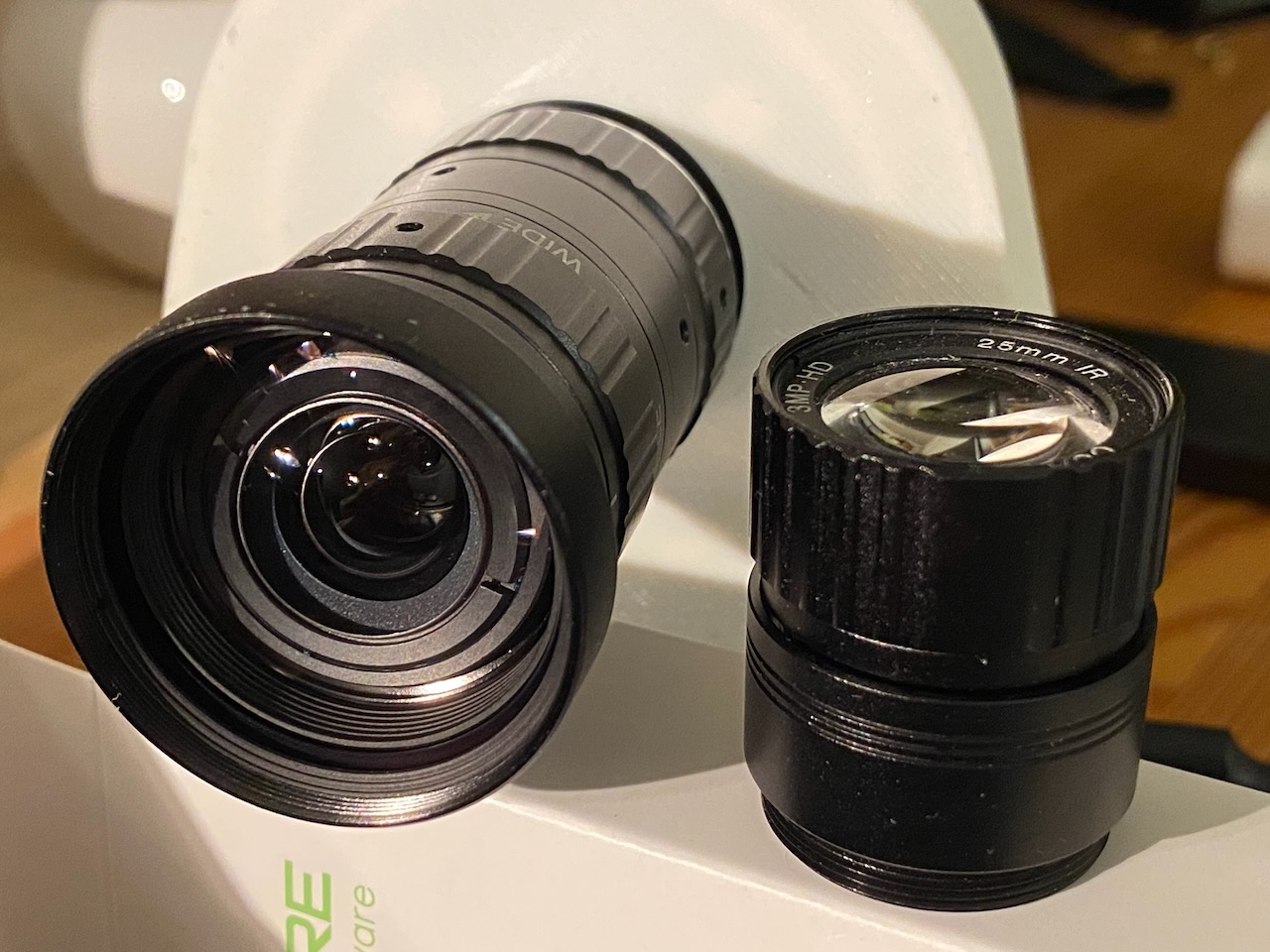
I want the solver to handle this change in framing. When I turn the zoom ring, the pattern of stars changes size: PiNox will also need to search for the right scale to identify the field. That would let me switch from a wide view to a tighter frame with the same camera.
Further reading
The other reading approach
Plate solving in PiNox: method and results · Scientific version: the setup, geometric model and analysis of the two examples.